

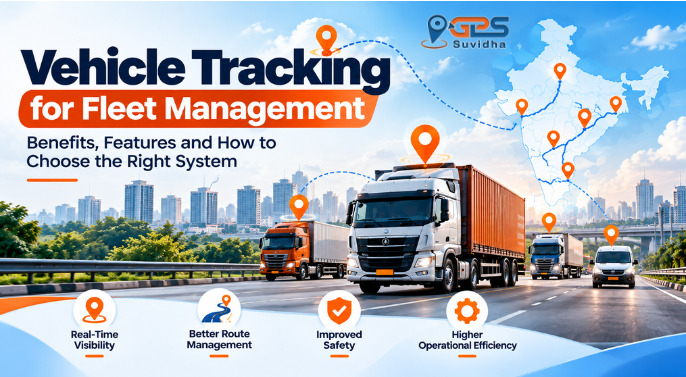
Managing a fleet involves much more than sending vehicles from one location to another. Transporters and fleet managers need to coordinate drivers, monitor trips, manage delivery schedules, respond to delays and keep customers informed. When vehicles operate across different cities or routes, getting timely and reliable updates can become challenging.
This is where vehicle tracking can help. A GPS-based vehicle tracking system allows authorised users to monitor vehicle locations, review movement history and access available tracking reports through a digital platform.
For businesses operating trucks, delivery vans, passenger vehicles or other commercial fleets, vehicle tracking can provide better visibility into daily operations and help managers make more informed decisions.
In this guide, we explain how vehicle tracking works, its benefits for fleet management, the features businesses should evaluate and how to choose a suitable solution in India.
What Is Vehicle Tracking?
Vehicle tracking is the process of monitoring a vehicle’s location and movement using technologies such as GPS positioning, communication networks and tracking software.
A vehicle tracking system typically collects location information through a tracking device or compatible technology and transmits available data to a software platform. An authorised user can then view vehicle information through a dashboard or other supported interface.
Depending on the hardware, software and service configuration, a vehicle tracking solution may provide:
- Current or recent vehicle location
- Route and trip history
- Vehicle movement and stoppage information
- Route deviation information
- Speed-related data
- Arrival and departure records
- Alerts and operational reports
- Fleet-level visibility for multiple vehicles
Not every system offers all these features. Businesses should confirm the capabilities of the specific tracking solution before selecting it.
How Does a Vehicle Tracking System Work?
A GPS-based vehicle tracking system generally uses three main components: positioning technology, a communication network and tracking software.
1. Location positioning
A GPS tracking device receives signals from navigation satellites to estimate its geographical position. The device may collect additional vehicle information if the hardware supports it.
2. Data transmission
The tracking device sends available information to a central platform through a supported communication network. Connectivity and device configuration can affect when information becomes available.
3. Tracking dashboard
The software processes the incoming data and presents it in a usable format. Depending on the system, authorised users may be able to view a vehicle on a map, review past trips, check reports and receive configured alerts.
4. Operational decisions
Fleet managers use the information to investigate delays, review routes, coordinate deliveries and understand vehicle activity.
Example: A transporter operating vehicles between Delhi, Jaipur and Lucknow may use a tracking dashboard to check whether a truck is moving, review its route history and investigate an unexpected delay. The tracking data can help the team make a more informed decision instead of depending only on phone calls.
Why Is Vehicle Tracking Important for Fleet Management?
Without a centralised tracking system, businesses may depend on driver calls, manual updates and spreadsheets to understand vehicle movement. These methods can work for a small operation, but they may become difficult to manage as the fleet grows.
Vehicle tracking provides a more structured way to monitor movement and review operational information.
1. Better visibility of vehicles
Knowing the location of vehicles helps fleet managers coordinate trips and respond to customer queries.
Instead of repeatedly contacting drivers for routine updates, managers can consult the available tracking information. This can be particularly useful when several vehicles are operating simultaneously.
2. Improved route monitoring
Vehicle tracking can help businesses review the routes taken by their vehicles and identify deviations from planned journeys, where the system supports this feature.
For example, if a delivery vehicle takes an unexpected route, the fleet manager can review the available trip data and check whether a diversion, traffic condition or operational issue explains the change.
Tracking information does not automatically select the best route in every system. Route planning and navigation capabilities should be verified separately.
3. Easier trip coordination
Transport operations often involve multiple loading points, delivery locations and time-sensitive schedules.
Vehicle tracking can help managers understand vehicle progress and coordinate the next steps. This can be useful for dispatch teams, warehouse staff, distribution businesses and transport companies.
4. More informed customer updates
Customers frequently want to know whether their goods have been dispatched, where a vehicle is or whether a delivery may be delayed.
When tracking information is available, staff can use it to provide more informed updates. Accurate delivery estimates still depend on traffic, stops, road conditions and the availability of reliable tracking data.
5. Better use of fleet resources
Tracking reports can help managers review how vehicles are being used, how long trips take and where unnecessary stoppages or inefficient movement may occur.
This information can support better vehicle allocation and operational planning. However, improved utilisation depends on how consistently the business reviews and acts on the data.
6. Historical records for analysis
Live location is only one part of vehicle tracking. Historical records can help businesses review previous journeys and investigate operational questions.
For example, a fleet manager may need to understand when a vehicle reached a destination, how long it remained stopped or whether it followed an assigned route. The available answers depend on the tracking system’s reporting capabilities and data-retention settings.
Key Features to Look for in a Vehicle Tracking Solution
Choosing a vehicle tracking system should begin with your business requirements. A small delivery fleet may need different capabilities from a transport company operating vehicles across several states.
Use this checklist when comparing providers.
| Feature | Why it matters |
| Vehicle location monitoring | Helps authorised users check vehicle positions |
| Route history | Supports reviews of previous journeys |
| Stop and trip information | Helps investigate delays and vehicle activity |
| Route deviation information | Can help identify departures from planned routes |
| Alerts and notifications | Provides updates for supported, configured events |
| Fleet dashboard | Helps managers view multiple vehicles in one place |
| Reporting tools | Supports operational analysis and record-keeping |
| Mobile or web access | Allows authorised users to access information remotely |
| Scalability | Helps the solution accommodate changing fleet requirements |
| Technical support | Provides assistance with device or platform issues |
Before making a decision, ask the provider which features are included in the proposed package, whether additional hardware is required and how long historical data remains available.
How Different Businesses Use Vehicle Tracking
Vehicle tracking can support several industries, although the requirements vary by vehicle type and operation.
Transport and logistics
Transporters can use tracking information to monitor truck movement, review journey progress and coordinate deliveries. Route history may also help when investigating delays or unexpected stoppages.
Delivery and distribution
Businesses delivering goods to retailers, warehouses or customers can use vehicle tracking to improve visibility across delivery routes. This can help dispatch teams coordinate vehicles and communicate more effectively with customers.
Passenger transportation
Bus and cab operators may use tracking systems to review vehicle movement, monitor route adherence and investigate delays. Any driver or passenger safety features should be checked against the capabilities of the chosen solution.
Mining and construction
Businesses operating trucks, heavy machinery and other equipment may need visibility into asset movement and utilisation. Depending on the system, tracking and operating reports can help managers review where equipment is used and how it moves between locations.
Waste management
Waste collection operations involve multiple vehicles, collection areas and scheduled stops. Tracking information can help managers review vehicle routes and investigate missed or delayed collection activities.
GPS Suvidha describes vehicle tracking applications for transport and logistics, passenger buses, tourist cabs, waste management, supply and distribution, mining and heavy machinery on its Vehicle Tracking Solution page.
Vehicle Tracking vs Fleet Management: What Is the Difference?
Vehicle tracking and fleet management are related, but they are not the same thing.
| Vehicle tracking | Fleet management |
| Focuses on vehicle location and movement | Covers the broader management of fleet operations |
| Can provide route and trip history | May combine tracking with dispatch, maintenance, driver and cost management |
| Helps answer questions about where a vehicle has travelled | Helps managers plan, coordinate and evaluate fleet activities |
| May be one part of a wider system | Can use tracking data alongside other operational information |
A business does not necessarily need every fleet management feature from the beginning. The right starting point depends on fleet size, vehicle types, daily challenges and the level of operational control required.
How to Choose the Right Vehicle Tracking System in India
Before purchasing or implementing a vehicle tracking solution, evaluate the following factors.
1. Identify your main problem
Start by defining what you want to improve.
Do you need to monitor vehicle locations, investigate route deviations, review trip history, coordinate deliveries or manage several vehicles from one dashboard?
A clear requirement helps you avoid paying for features your business may not use.
2. Consider your vehicle types
Cars, trucks, buses, delivery vans and heavy machinery may have different hardware and installation requirements.
Confirm that the proposed device and service are suitable for the vehicles you operate.
3. Review the tracking and reporting features
Ask the provider to demonstrate the relevant functions. Check how vehicle positions are displayed, how previous trips are accessed and which reports are available.
If alerts, geofencing or driver-related information are important to your operation, confirm that those features are supported.
4. Check connectivity and data availability
GPS positioning and data transmission are different functions. A device may determine its position but still experience delays in transmitting information if connectivity is unavailable.
Ask how the system behaves when network coverage is poor and how it handles gaps in reported data.
5. Understand the total cost
The overall cost may depend on device hardware, installation, subscription charges, supported features, maintenance and the number of vehicles.
Request a written quotation that explains the applicable charges and terms. Do not compare providers on the initial device price alone.
6. Evaluate ease of use
A tracking platform should present information in a way your team can understand and use. Ask for a demonstration and check whether the dashboard, reports and alerts suit your daily workflow.
7. Confirm support and service terms
Before committing, clarify the installation process, technical support arrangements, device replacement terms and the process for resolving service issues.
Common Mistakes to Avoid When Selecting a Vehicle Tracking Solution
Businesses can make better purchasing decisions by avoiding these common mistakes.
- Choosing only on price: A low initial price may not reflect the full cost of hardware, subscriptions or support.
- Assuming every feature is included: Confirm the exact functions available in the proposed package.
- Ignoring reporting needs: Live location may not be sufficient if you also need historical trip records and operational reports.
- Overlooking connectivity limitations: Understand how the system behaves when data transmission is interrupted.
- Not involving actual users: Dispatchers and fleet managers should evaluate the platform before implementation.
- Failing to review data access: Clarify who can access tracking information, how accounts are managed and how long records are retained.
A suitable vehicle tracking system should match the way your business operates rather than simply offering the longest feature list.
How GPS Suvidha Supports Vehicle Tracking
Newsletter
Subscribe to our newsletter below and never miss the latest Blog.