

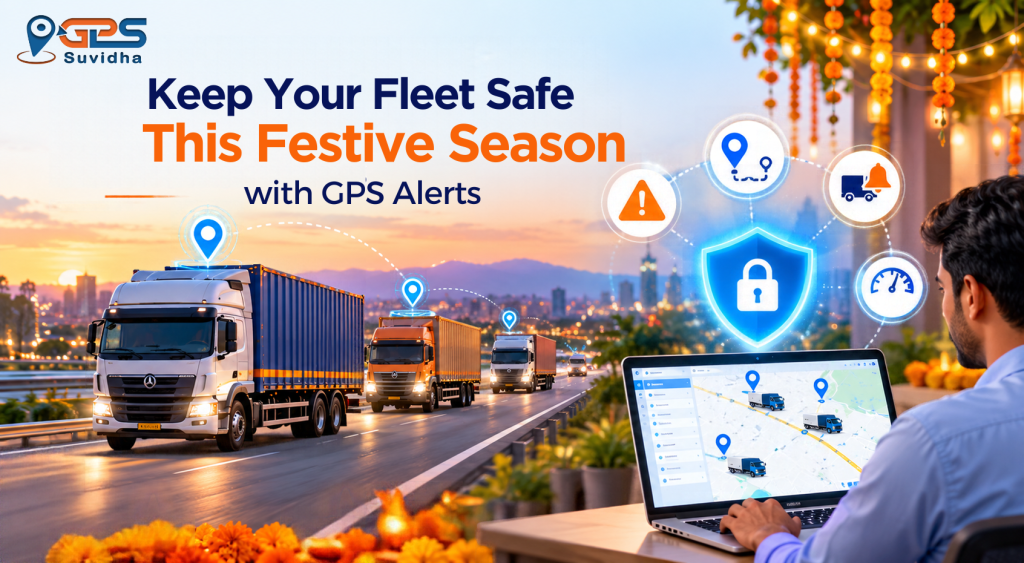
Festive season brings higher vehicle movement, crowded markets, driver leave, temporary parking locations, and longer operating hours. For fleet owners, these changes can make it harder to notice unauthorized vehicle movement quickly.
The good news is that a GPS tracking system can do more than show a vehicle’s location. Properly configured GPS alerts for fleet owners can notify you when a vehicle leaves a permitted area, moves during restricted hours, starts unexpectedly, loses power, or remains stopped longer than expected.
The five alerts worth prioritizing are geofence exit, odd-hours movement, ignition ON/OFF, power-cut or tamper, and unplanned stoppage/idling alerts. GPS Suvidha’s fleet management solution supports real-time tracking, geographic-zone monitoring, vehicle activity information, and mobile alerts for selected events.
Why Vehicle Theft Risk Increases During Festive Season
Fleet operations often become less predictable around Navratri, Dussehra and Diwali.
Drivers may take leave, vehicles may be parked at temporary locations, delivery schedules can change, and commercial vehicles may spend more time around crowded markets or unfamiliar parking areas.
This creates a simple fleet-management problem: a vehicle can move without the owner immediately knowing about it.
A GPS tracker gives you visibility into vehicle location and movement. But continuously watching a dashboard is not practical.
That is where alerts become important.
Instead of asking someone to check every vehicle manually, you can create rules that automatically notify the responsible person when something unusual happens.
GPS Suvidha describes its fleet solution as providing real-time vehicle tracking, route information, reports, geographic-zone alerts, and information about unauthorized vehicle use. GPS Suvidha
GPS Tracking vs GPS Alerts: What’s the Difference?
GPS tracking tells you where your vehicle is.
A GPS alert tells you when something important happens.
For example:
- Tracking: Your truck is currently 4 km from the depot.
- Geofence alert: Your truck has left the depot’s permitted zone.
- Ignition alert: The vehicle ignition was switched on.
- Tamper alert: The tracking device has experienced a power interruption.
- Stoppage alert: The vehicle has remained stopped for longer than your selected limit.
This distinction matters during theft prevention. A dashboard is useful when someone is watching it. An alert can bring an unusual event to someone’s attention automatically.
5 GPS Alerts Every Fleet Owner Should Turn On
1. Geofence Exit Alert
Best for: Detecting vehicles leaving a yard, depot, parking area or approved operating zone.
A geofence is a virtual boundary created around a physical location.
For example, you can create a geofence around:
- Your fleet yard
- Transport Nagar parking area
- Warehouse
- Distribution centre
- Customer premises
- Approved operating area
Once the vehicle leaves the defined area, the system can generate an alert.
How to use it during the festive season
Create geofences around locations where vehicles are normally parked overnight.
For higher-risk vehicles, you can also create geographic zones around approved operating areas.
Avoid making the boundary unnecessarily tight. GPS positioning can have some variation, so an overly small geofence may create unnecessary alerts.
Example:
A delivery van is parked at 10 PM. At 1 AM, it moves outside the permitted parking zone. Instead of discovering the movement the next morning, the fleet manager can receive an alert shortly after the vehicle crosses the boundary.
GPS Suvidha’s published fleet-management information specifically highlights geographic-zone settings that can alert users when vehicles move outside designated areas.
2. Odd-Hours Movement Alert
Best for: Detecting vehicle movement during periods when the vehicle should be parked.
Set a restricted movement window based on your actual fleet schedule.
For example:
10 PM to 5 AM
If a vehicle normally remains parked during these hours, unexpected movement deserves attention.
However, do not apply the same schedule blindly to every vehicle.
A night-shift truck, emergency vehicle or long-distance transport vehicle may legitimately operate during these hours.
Create separate alert schedules for different vehicle groups.
This prevents your team from receiving so many false alerts that they eventually start ignoring them.
GPS Suvidha’s fleet solution notes that tracking reports can help managers inspect vehicle activity, including odd-hours usage and weekend activity. GPS Suvidha
3. Ignition ON/OFF Alert
Best for: Detecting the earliest sign of unauthorized vehicle use.
A vehicle does not need to travel several kilometres before something suspicious happens.
Sometimes the first warning is simply:
Ignition ON.
For vehicles that are supposed to remain parked overnight, an unexpected ignition event can be an important early signal.
Ignition information can also help with operational monitoring by showing when vehicles start and stop.
Best practice
Use ignition alerts selectively.
If you send an alert every time every vehicle starts during normal working hours, your team may receive too many notifications.
Instead, consider using ignition alerts for:
- Parked vehicles
- High-value vehicles
- Vehicles during holidays
- Vehicles outside operating hours
- Vehicles in sensitive locations
GPS Suvidha’s fleet-management information states that its tracking system provides data on vehicle ON/OFF activity and helps managers review vehicle usage. GPS Suvidha
4. Power-Cut and Tamper Aler
Best for: Detecting an attempt to disable or interfere with the tracking device.
This is one of the alerts that deserves immediate attention.
If someone wants to prevent a vehicle from being tracked, interfering with the tracking device may be one possible step.
A power-cut or tamper alert can turn an unexpected interruption into a warning for the fleet manager.
However, availability depends on the specific GPS hardware, installation and service plan.
Before relying on this alert, confirm:
- Whether your device supports power-cut detection.
- Whether tamper detection is available.
- How the alert is delivered.
- Whether backup power is available.
- Who receives the alert.
- What action should follow.
Treat a genuine tamper alert as high priority.
Do not personally chase or confront a suspected thief. If the vehicle cannot be accounted for, share relevant location information with the appropriate authorities.
5. Unplanned Stoppage and Idling Alert
Best for: Identifying suspicious stops, unnecessary idling and potential fuel wastage.
Not every theft-related problem begins with a vehicle disappearing.
Sometimes the issue is an unexplained stop or excessive idling.
Set a reasonable stoppage threshold based on your routes.
For example:
15–20 minutes outside approved stopping locations.
The exact threshold should depend on your business. A city delivery fleet will naturally have different stopping patterns from a long-haul trucking operation.
Idling alerts can also help identify vehicles that spend too much time with the engine running while stationary.
GPS Suvidha’s fleet-management page states that controlling idling can reduce fuel usage by up to 15%, while tracking can also help managers review stoppages and routes.
Keep in mind that a GPS stoppage alert does not directly measure how much fuel was stolen. For fuel-level measurement, a compatible fuel sensor is required.
Which GPS Alert Should Be the Highest Priority?
If you have to prioritize, start with:
| GPS Alert | Main Purpose | Priority |
| Power-cut / tamper | Detect tracker interference | Highest |
| Geofence exit | Detect unauthorized movement | High |
| Odd-hours movement | Detect unexpected movement | High |
| Ignition ON/OFF | Detect unexpected starting | Medium |
| Stoppage / idling | Identify suspicious stops and fuel waste | Medium |
The right priority can vary according to your vehicle type, operating schedule, location and security requirements.
The important point is not simply turning on every possible notification. Each alert should have a defined purpose and a person responsible for responding to it.
Festive Season GPS Alert Setup Checklist
One week before Navratri
- Create geofences around all regular parking locations.
- Set odd-hours movement windows.
- Configure ignition alerts for vehicles that remain parked.
- Enable available power-cut and tamper alerts.
- Set reasonable stoppage and idling thresholds.
- Add at least two responsible contacts where supported.
- Test each important alert.
During Navratri and Diwali
- Review unusual movement.
- Check alerts promptly.
- Keep one responsible person available for high-priority alerts.
- Monitor vehicles parked at temporary locations.
- Review repeated stoppages and route deviations.
After Diwali
- Review the alerts generated.
- Identify false alarms.
- Adjust geofence sizes and schedules.
- Remove temporary festival rules.
- Keep useful theft-prevention rules active.
The uploaded source also recommends testing all five alerts before the festive period and reviewing alert performance afterward. Pasted markdown
What Should You Do When a GPS Theft Alert Comes In?
Do not panic.
Follow a predefined response process.
Step 1: Check the live location
Open your tracking dashboard and verify the vehicle’s latest location and movement.
Step 2: Contact the driver
Call the driver and ask for a clear explanation.
Step 3: Contact the backup person
If the driver does not respond, contact the second responsible person.
Step 4: Escalate when necessary
If the movement remains unexplained and you suspect theft or unauthorized use, contact the appropriate authorities and provide the vehicle registration details and available location information.
Step 5: Record the incident
Document the alert time, vehicle location, driver response and action taken.
The original GPS Suvidha article recommends a five-minute response process and specifically advises against personally chasing a vehicle. Pasted markdown
Common GPS Alert Mistakes Fleet Owners Should Avoid
Sending every alert to one person
If that person is unavailable, the alert may receive no response.
Using identical settings for every vehicle
Different vehicles can have different operating schedules.
Creating extremely small geofences
This can result in unnecessary alerts because of normal GPS positioning variation.
Turning on too many notifications
Too many alerts can create alert fatigue.
Not testing alerts
An alert that has never been tested should not be treated as a reliable safety process.
Having no response procedure
An alert has limited value if nobody knows what to do after receiving it.
AIS-140 Tracking vs Fleet Theft Alerts
Some commercial and public-service vehicle operators may already use AIS-140-compliant tracking devices where applicable.
However, regulatory tracking requirements and business fleet-management requirements are not necessarily the same thing.
A fleet owner should check what information and alerts their existing device and software actually provide.
Ask your provider:
- Do I get real-time location?
- Can I create geofences?
- Are ignition alerts available?
- Is power-cut detection supported?
- Can I configure odd-hours alerts?
- Are historical reports available?
- Can multiple people receive alerts?
- Is mobile access available?
The answer will depend on the hardware, software and service plan.
Frequently Asked Questions
For many fleets, power-cut or tamper alerts deserve the highest priority because they can indicate an interruption to tracking. Geofence alerts are also important because they can identify unexpected vehicle movement.
GPS tracking cannot guarantee that a vehicle will not be stolen. It can improve visibility, generate alerts for unusual activity and provide location information that may support a response and recovery process.
A geofence alert is a notification generated when a tracked vehicle enters or leaves a predefined geographic area. Fleet owners can use it to monitor yards, warehouses, parking areas and approved operating zones.
It can help fleet managers identify idling, unnecessary stops, route deviations and other patterns that may contribute to inefficient fuel use. GPS Suvidha specifically highlights idling control and route efficiency as fleet-management benefits. GPS Suvidha
Yes. Small fleet owners often have fewer people available to monitor vehicles manually. Automated alerts can provide an additional layer of operational visibility.
Ideally, configure and test the alerts at least several days before the period when you expect increased risk or operational disruption. The uploaded GPS Suvidha draft recommends approximately one week before Navratri. Pasted markdown
Final Takeaway
Festive-season fleet security does not require someone to watch a tracking dashboard every minute.
A better approach is to configure the right alerts before the busy period begins.
Start with these five:
Geofence exit → Odd-hours movement → Ignition ON/OFF → Power-cut/tamper → Unplanned stoppage/idling
Then assign people to respond to those alerts, test the setup, and adjust rules after the festive period.
GPS Suvidha’s existing vehicle-tracking and fleet-management content supports the broader use case of real-time vehicle visibility, route monitoring, alerts, reporting and fleet operational control.
If your fleet needs stronger visibility during the festive season, explore GPS Suvidha Fleet Management and GPS Suvidha Vehicle Tracking Solution.